![AIM-logo-white.png]](https://support.theaiminstitute.com/hs-fs/hubfs/AIM-logo-white.png?height=40&name=AIM-logo-white.png)
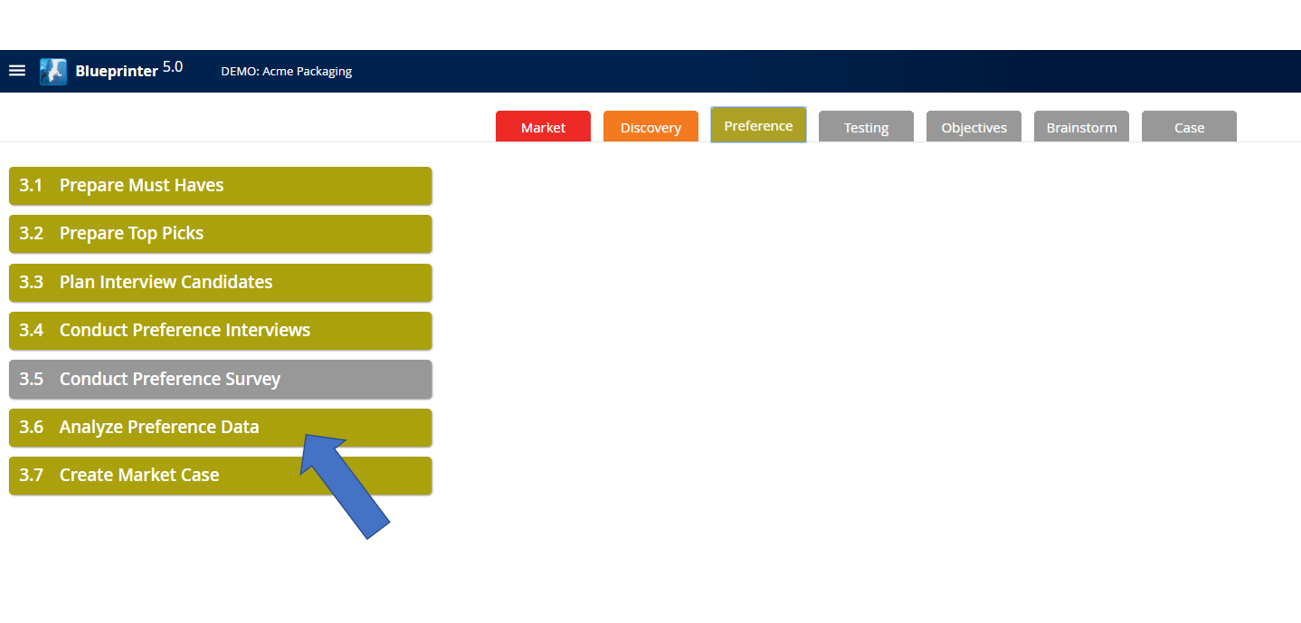
To create a uniquely weighted Market Case, you need a unique Market View. Begin by going to Tool 3.6 within Step 3:
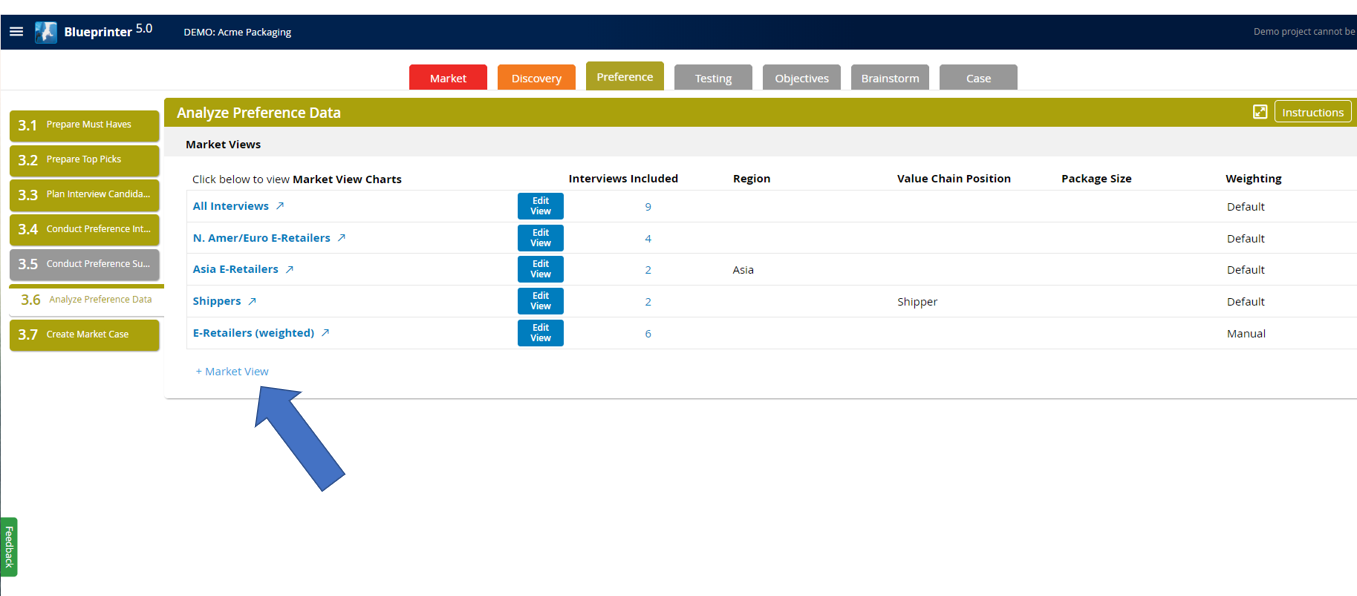
Create a new Market View:
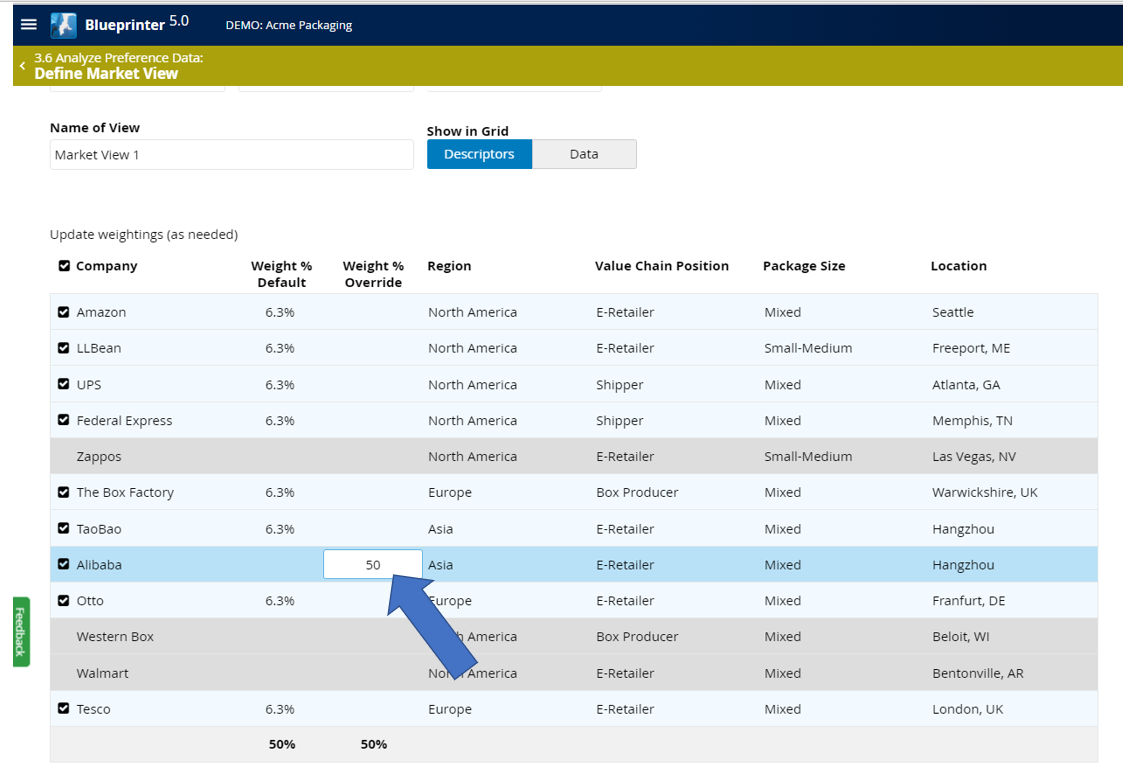
Let's suppose that Alibaba is by far our biggest customer, representing 50% of the market segment. So, we want to weight their data at 50%. Enter "50" in the "Weight % Override":
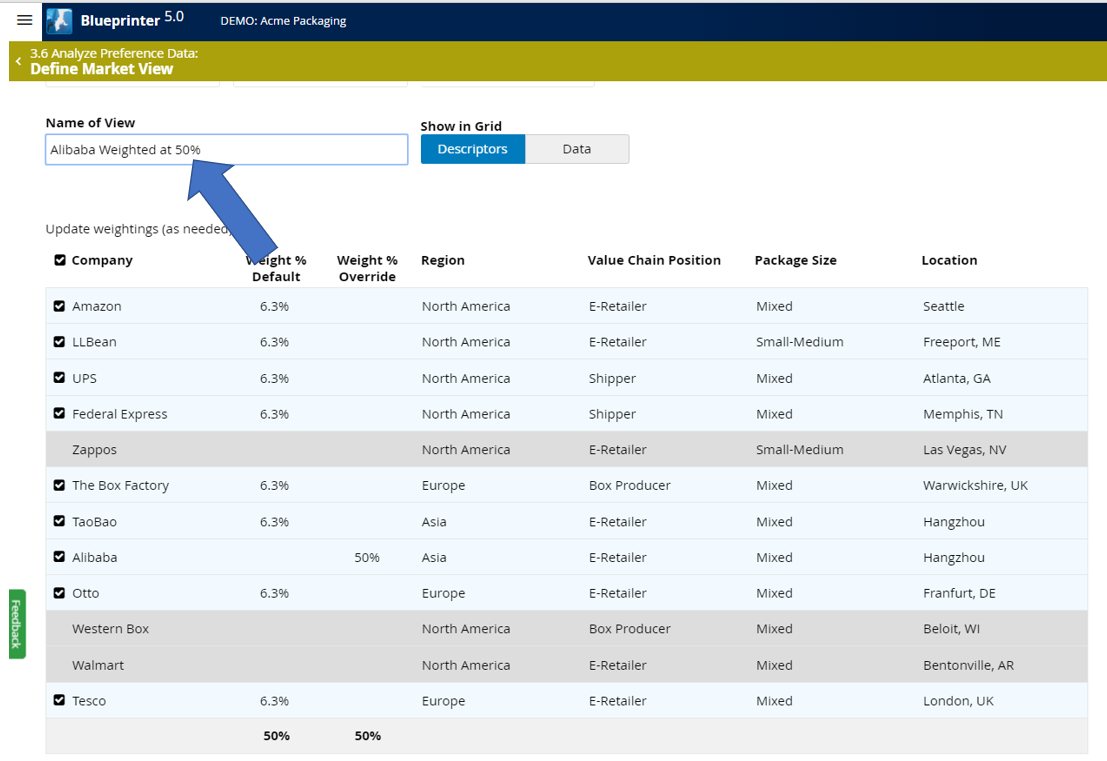
Now, just rename this Market View accordingly, and you're finished: