![AIM-logo-white.png]](https://support.theaiminstitute.com/hs-fs/hubfs/AIM-logo-white.png?height=40&name=AIM-logo-white.png)
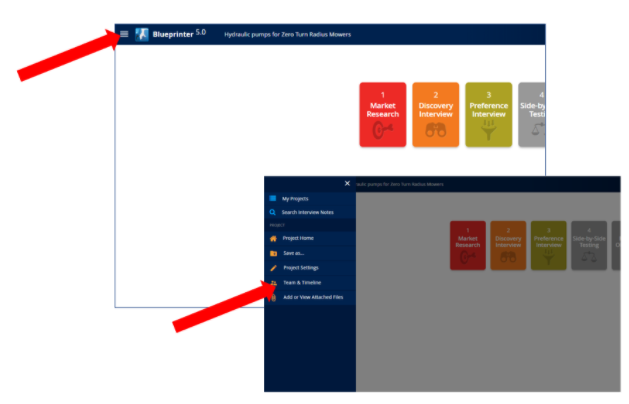
To add someone to a Blueprinter software project, navigate to "Team & Timeline" under the Menu:
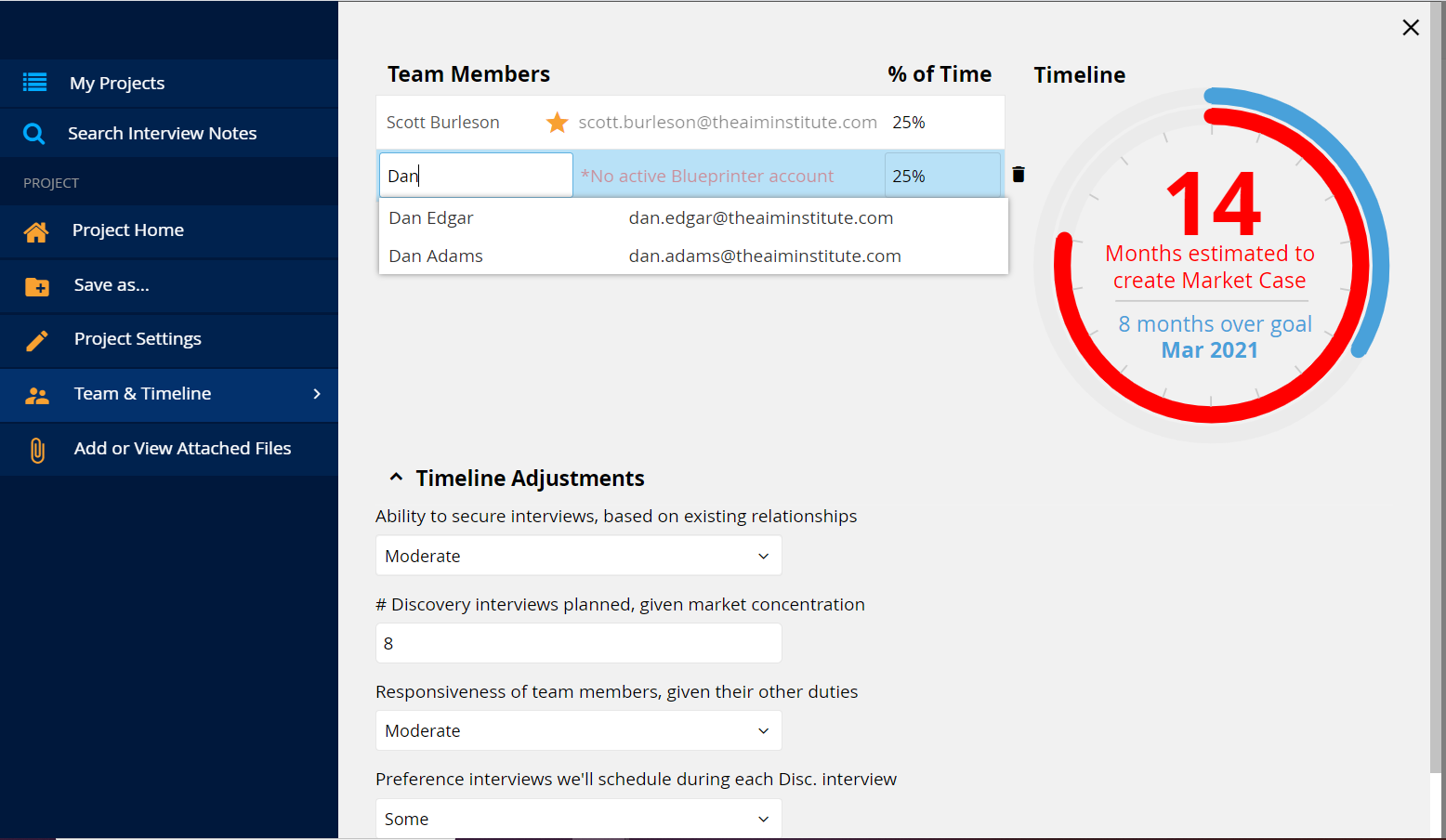
Just start typing your colleague's name. Blueprinter software will pull up all your colleagues with Blueprinter software subscriptions. Just add them, and start Blueprinting!
FYI - If you do not see their name, they do not have a Blueprinter subscription.
Search terms:
- Add team members
- Add someone to a project
- Add someone to a Blueprinter project
- Add team members to a Blueprinter project
- Add team member to a Blueprinting project